-
Interactive DashboardsCreate interactive BI dashboards with dynamic visuals.
-
End-User BI ReportsCreate and deploy enterprise BI reports for use in any vertical.
-
Wyn AlertsSet up always-on threshold notifications and alerts.
-
Localization SupportChange titles, labels, text explanations, and more.
-
Wyn ArchitectureA lightweight server offers flexible deployment.
-
 Wyn Enterprise 7.1 is ReleasedThis release emphasizes Wyn document embedding and enhanced analytical express...
 -
 Choosing an Embedded BI Solution for SaaS ProvidersAdding BI features to your applications will improve your products, better serve your customers, and more. But where to start? In this guide, we discuss the many options.
-
Visual GalleryInteractive sample dashboards and reports.
-
BlogExplore Wyn, BI trends, and more.
-
WebinarsDiscover live and on-demand webinars.
-
Customer SuccessVisualize operational efficiency and streamline manufacturing processes.
-
Knowledge BaseGet quick answers with articles and guides.
-
VideosVideo tutorials, trends and best practices.
-
WhitepapersDetailed reports on the latest trends in BI.
-
 Choosing an Embedded BI Solution for SaaS ProvidersAdding BI features to your applications will impr...
 -

- Getting Started
-
Administration Guide
- Installing Wyn Enterprise
- Configuration Settings
- Account Management
- Security Management
- System Management
- Document Management
-
How To and Troubleshooting
- Profile Settings
- Slack Integration
- MS Teams Integration
- Create Custom Language Packages
- Configure Identity Server
- Configure Single Sign-on
- Convert Crystal Reports/MS Access Reports to Wyn Reports
- Using ClickHouse as OLAP Database
- Hide Download Link in Scheduled Tasks
- Configure Redis Cluster using Username and Password
- Deploy and Configure a Custom Data Source
- User Guide
- Developer Guide
Security
Add Delegation
Users can manage their delegations from the Profile Settings page under Security.
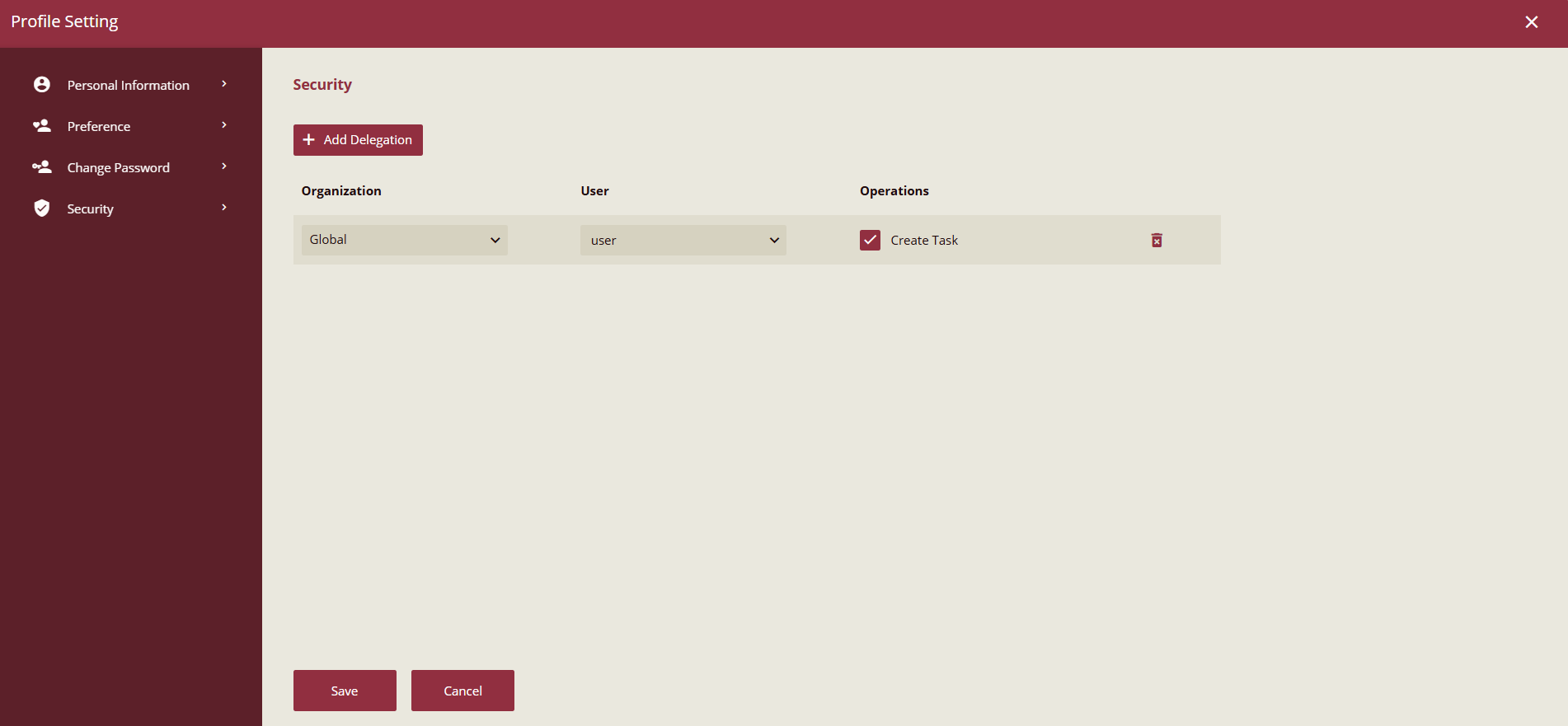
Users can only view the user list of the current organization, while Admins or Organization Admins can view users in the current organization and its sub-organizations.
If user A creates a delegation in the Profile Settings page that allows user B to create tasks on their behalf:
User A is the Delegator
User B is the Delegate
Delegations can be revoked at any time. If a delegation becomes invalid:
Previously created tasks remain available to the original user.
The delegate can no longer manage them.
Note: Task Delegation determines who is allowed to select another user in the Run As field. The Run As option determines under which user identity the task actually executes.