-
Interactive DashboardsCreate interactive BI dashboards with dynamic visuals.
-
End-User BI ReportsCreate and deploy enterprise BI reports for use in any vertical.
-
Wyn AlertsSet up always-on threshold notifications and alerts.
-
Localization SupportChange titles, labels, text explanations, and more.
-
Wyn ArchitectureA lightweight server offers flexible deployment.
-
 Wyn Enterprise 7.1 is ReleasedThis release emphasizes Wyn document embedding and enhanced analytical express...
 -
 Choosing an Embedded BI Solution for SaaS ProvidersAdding BI features to your applications will improve your products, better serve your customers, and more. But where to start? In this guide, we discuss the many options.
-
Visual GalleryInteractive sample dashboards and reports.
-
BlogExplore Wyn, BI trends, and more.
-
WebinarsDiscover live and on-demand webinars.
-
Customer SuccessVisualize operational efficiency and streamline manufacturing processes.
-
Knowledge BaseGet quick answers with articles and guides.
-
VideosVideo tutorials, trends and best practices.
-
WhitepapersDetailed reports on the latest trends in BI.
-
 Choosing an Embedded BI Solution for SaaS ProvidersAdding BI features to your applications will impr...
 -

- Getting Started
- Administration Guide
-
User Guide
- An Introduction to Wyn Enterprise
- Document Portal for End Users
- Data Governance and Modeling
- View and Manage Documents
- Working with Resources
- Working with Reports
- Working with Dashboards
- Working with Notebooks
- Wyn Analytical Expressions
- Section 508 Compliance
- Subscribe to RSS Feed for Wyn Builds Site
- Developer Guide
Union Data

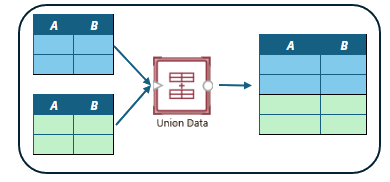
The Union Data ETL command allows you to merge the rows of two or more input tables that have the same or common column names. The result is a union set of all the rows from all the input tables. You can include all or just the common columns in the input tables.
Configuration
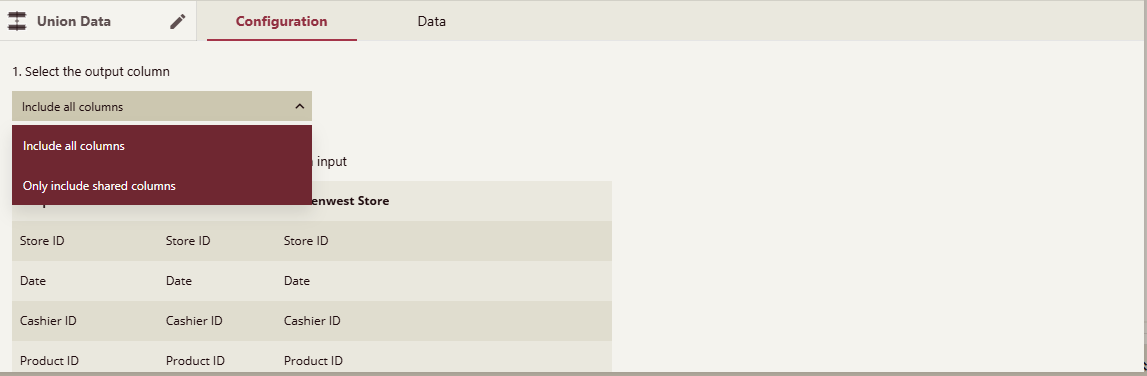
In the configuration panel of the Union Data, you can choose to include all the columns in all the input tables or just the common columns in all the input tables. You will be presented with a preview list of how the columns will be merged and what the output column names will be.
Example
In this example we have orders data coming from two different systems. The column names are different, the first system stores amounts in dollars while the second stores it in cents. We need to standardize the columns and how data is stored before we can merge the records.
The data from the first system looks like this

and from the second system:

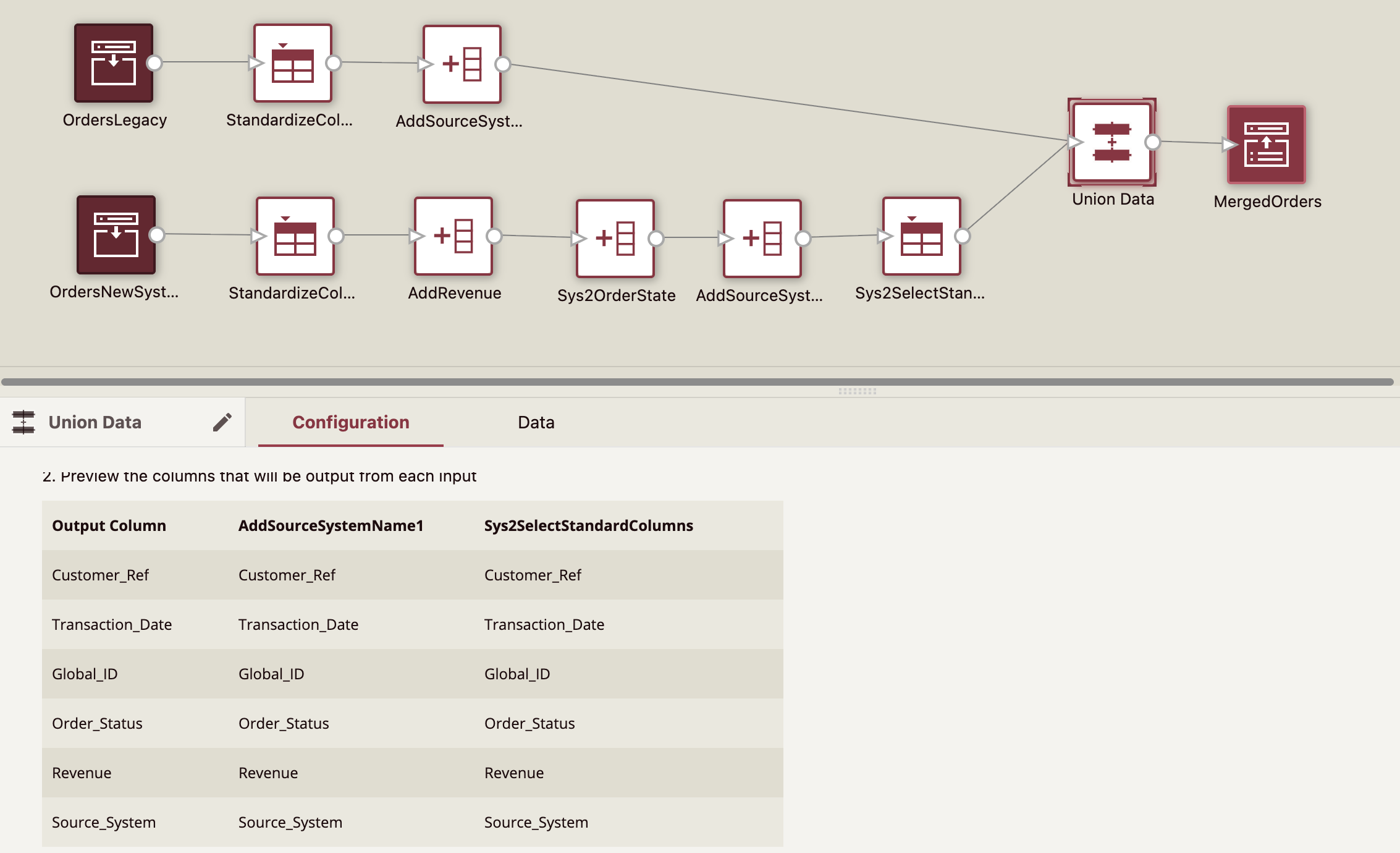
We started with two Input Sources and connected them to Select Column commands to change the column names to standard column names. We added a Add Column command to calculate the value of amounts in the second source to dollars. Finally we added Add Column with a constant to identify the source of the data. Finally, when the columns from both flows have identical columns we used a Union Data command to merge the records from the two sources as can be seen in the screenshot below.
Upload the Excel file to create data source and reconfigure the input sources of the data flow in the attachment to examine the example.