-
Interactive DashboardsCreate interactive BI dashboards with dynamic visuals.
-
End-User BI ReportsCreate and deploy enterprise BI reports for use in any vertical.
-
Wyn AlertsSet up always-on threshold notifications and alerts.
-
Localization SupportChange titles, labels, text explanations, and more.
-
Wyn ArchitectureA lightweight server offers flexible deployment.
-
 Wyn Enterprise 7.1 is ReleasedThis release emphasizes Wyn document embedding and enhanced analytical express...
 -
 Choosing an Embedded BI Solution for SaaS ProvidersAdding BI features to your applications will improve your products, better serve your customers, and more. But where to start? In this guide, we discuss the many options.
-
Visual GalleryInteractive sample dashboards and reports.
-
BlogExplore Wyn, BI trends, and more.
-
WebinarsDiscover live and on-demand webinars.
-
Customer SuccessVisualize operational efficiency and streamline manufacturing processes.
-
Knowledge BaseGet quick answers with articles and guides.
-
VideosVideo tutorials, trends and best practices.
-
WhitepapersDetailed reports on the latest trends in BI.
-
 Choosing an Embedded BI Solution for SaaS ProvidersAdding BI features to your applications will impr...
 -

- Getting Started
- Administration Guide
-
User Guide
- An Introduction to Wyn Enterprise
- Document Portal for End Users
- Data Governance and Modeling
- View and Manage Documents
- Working with Resources
- Working with Reports
- Working with Dashboards
- Working with Notebooks
- Wyn Analytical Expressions
- Section 508 Compliance
- Subscribe to RSS Feed for Wyn Builds Site
- Developer Guide
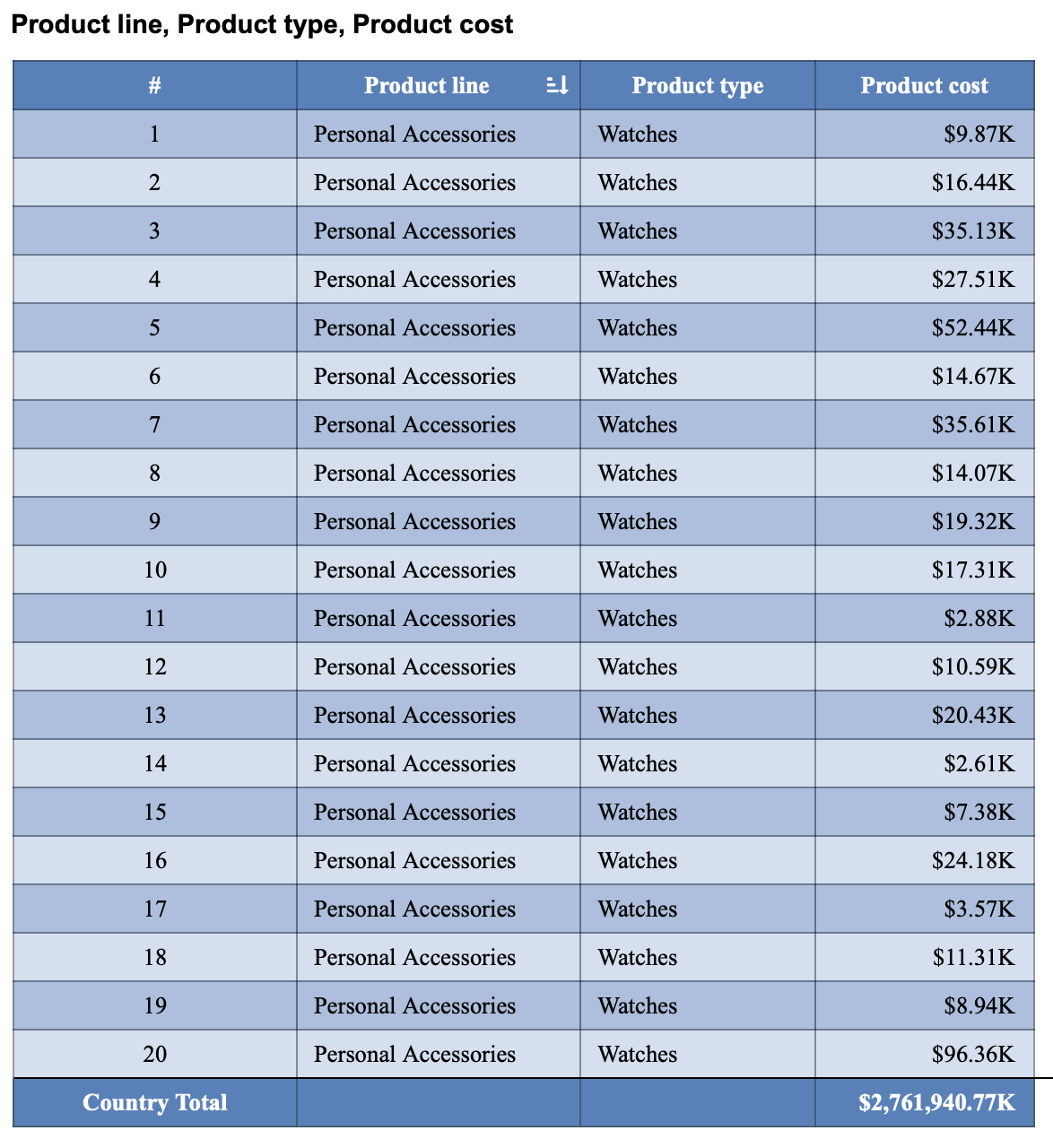
Add Totals Row
The Total Method setting allows you to calculate and display a summary value for any field bound to the Columns slot in a Data Table. This option becomes available after you drag a data attribute into the Columns binding slot.
Once the field is bound, a gear icon appears next to the attribute name. Select the gear icon to open the field settings dropdown, then locate the Total Method option. The available Total Method options depend on whether the bound field is categorical or numerical.
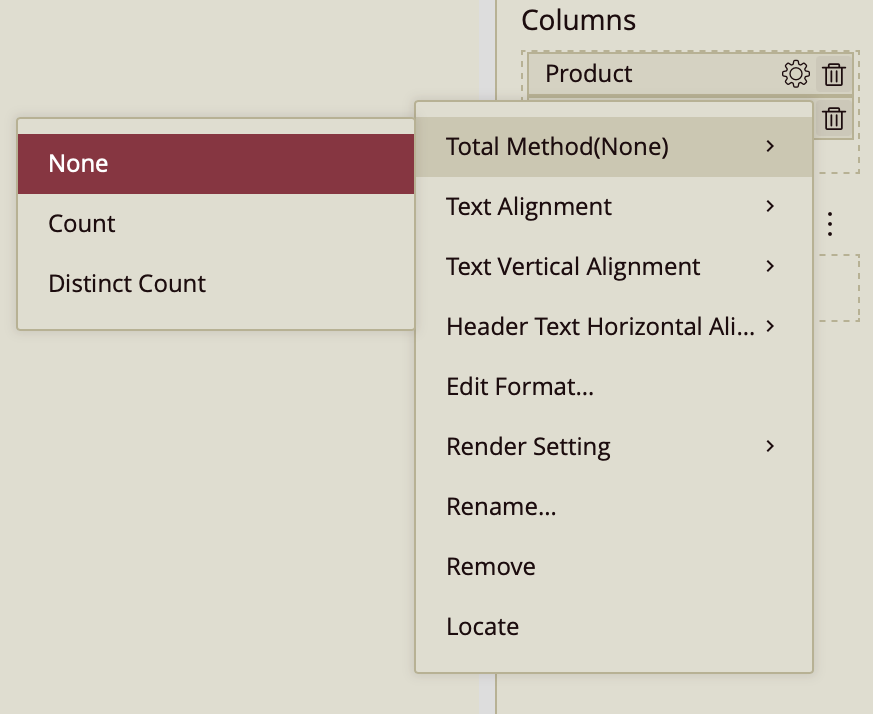
1. Total Method for Categorical Data
When a categorical field (such as Country, Product, or Category) is bound to the Columns slot, the Total Method provides options that summarize the number of entries rather than performing arithmetic calculations.
Available options:
None (Default)
No total is calculated or displayed for the column.
Count
Displays the total number of records in the column.
This counts every row where the field contains a value. Duplicate values are included in the count.
Example:
If the column contains 100 rows of product names, the Count total will display 100, even if many products repeat.
Distinct Count
Displays the number of unique values in the column.
Duplicate entries are counted only once.
Example:
If the Product column contains 100 rows but only 15 unique products, the Distinct Count will display 15.
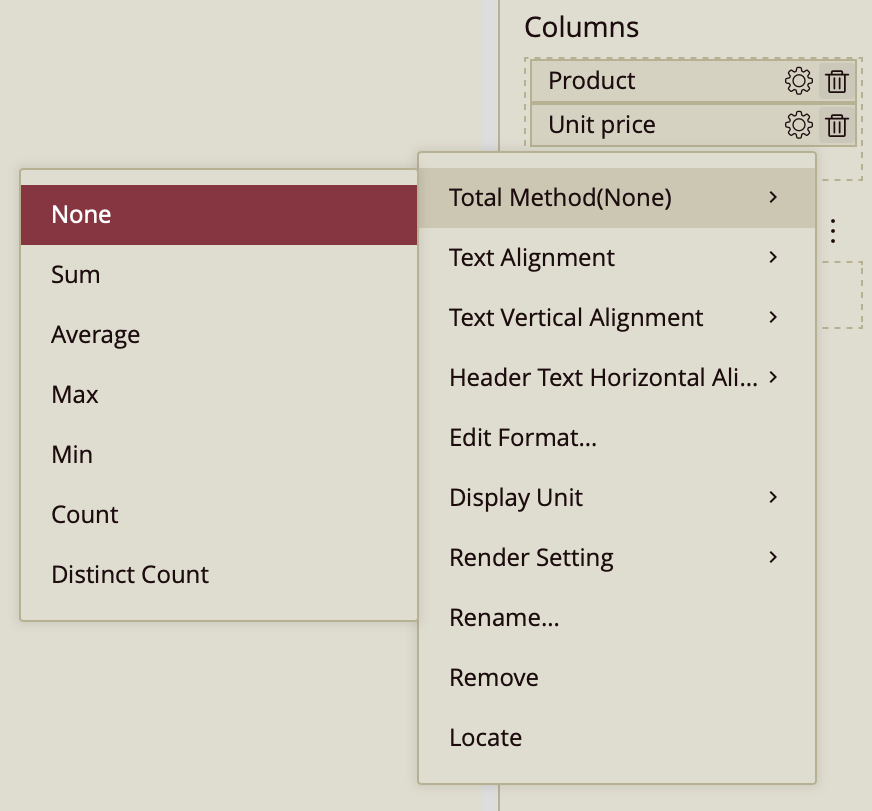
2. Total Method for Numerical Data
When a numerical field (such as Sales, Profit, Quantity, or Revenue) is bound to the Columns slot, the Total Method provides aggregation functions that perform mathematical calculations.
Available options:
None (Default)
No total is calculated.
Sum
Adds all values in the column.
Average
Calculates the mean value of the column.
Max
Displays the largest value in the column.
Min
Displays the smallest value in the column.
Count
Counts the number of records that contain a value.
Distinct Count
Counts the number of unique numeric values.
For numerical fields, the Total Method determines how the data is aggregated in the totals row. Unlike categorical fields, numerical fields support full mathematical aggregation.