-
Interactive DashboardsCreate interactive BI dashboards with dynamic visuals.
-
End-User BI ReportsCreate and deploy enterprise BI reports for use in any vertical.
-
Wyn AlertsSet up always-on threshold notifications and alerts.
-
Localization SupportChange titles, labels, text explanations, and more.
-
Wyn ArchitectureA lightweight server offers flexible deployment.
-
 Wyn Enterprise 7.1 is ReleasedThis release emphasizes Wyn document embedding and enhanced analytical express...
 -
 Choosing an Embedded BI Solution for SaaS ProvidersAdding BI features to your applications will improve your products, better serve your customers, and more. But where to start? In this guide, we discuss the many options.
-
Visual GalleryInteractive sample dashboards and reports.
-
BlogExplore Wyn, BI trends, and more.
-
WebinarsDiscover live and on-demand webinars.
-
Customer SuccessVisualize operational efficiency and streamline manufacturing processes.
-
Knowledge BaseGet quick answers with articles and guides.
-
VideosVideo tutorials, trends and best practices.
-
WhitepapersDetailed reports on the latest trends in BI.
-
 Choosing an Embedded BI Solution for SaaS ProvidersAdding BI features to your applications will impr...
 -

- Getting Started
- Administration Guide
-
User Guide
- An Introduction to Wyn Enterprise
- Document Portal for End Users
- Data Governance and Modeling
- View and Manage Documents
- Working with Resources
- Working with Reports
- Working with Dashboards
- Working with Notebooks
- Wyn Analytical Expressions
- Section 508 Compliance
- Subscribe to RSS Feed for Wyn Builds Site
- Developer Guide
Data Binding for Combined Maps
The Combined Map allows you to overlay multiple map layers in a single visualization. You can add a new layer by selecting the “+” icon next to Map Layers. Available layer types include:
Area Layer
Bubble Layer
Heat Layer
Symbol Layer
Flow Line Layer
Path Layer (unique to Combined Map; not available as a standalone map type)
Each layer has its own Data Binding slots, which work the same as their individual map counterparts. You can configure, reorder, and remove layers at any time using the ellipsis (…) menu next to the layer name.
Path Layer Data Binding
The Path Layer is specific to the Combined Map and is used to draw routes or paths across a map. It includes the following binding slots:Path Name – Assigns a name or identifier to each path, allowing multiple paths to be displayed and distinguished.
Path – Defines the path coordinates. Typically, this is a sequence of latitude/longitude pairs that determine the route’s shape.
Color – Sets the color of each path. You can bind a field to dynamically color paths by category or measure.
Width – Controls the thickness of each path line. You can bind a numeric field to vary line width according to data values.
Tooltip – Displays additional information when hovering over a path (e.g., route details, metrics, categories).
Managing Layers
You can add an unlimited number of layers to a Combined Map.
Use the ellipsis (…) menu beside a layer to configure or remove it.
Layers can be stacked to display different types of geospatial data together (e.g., showing flow lines on top of regions, or paths alongside heatmaps).
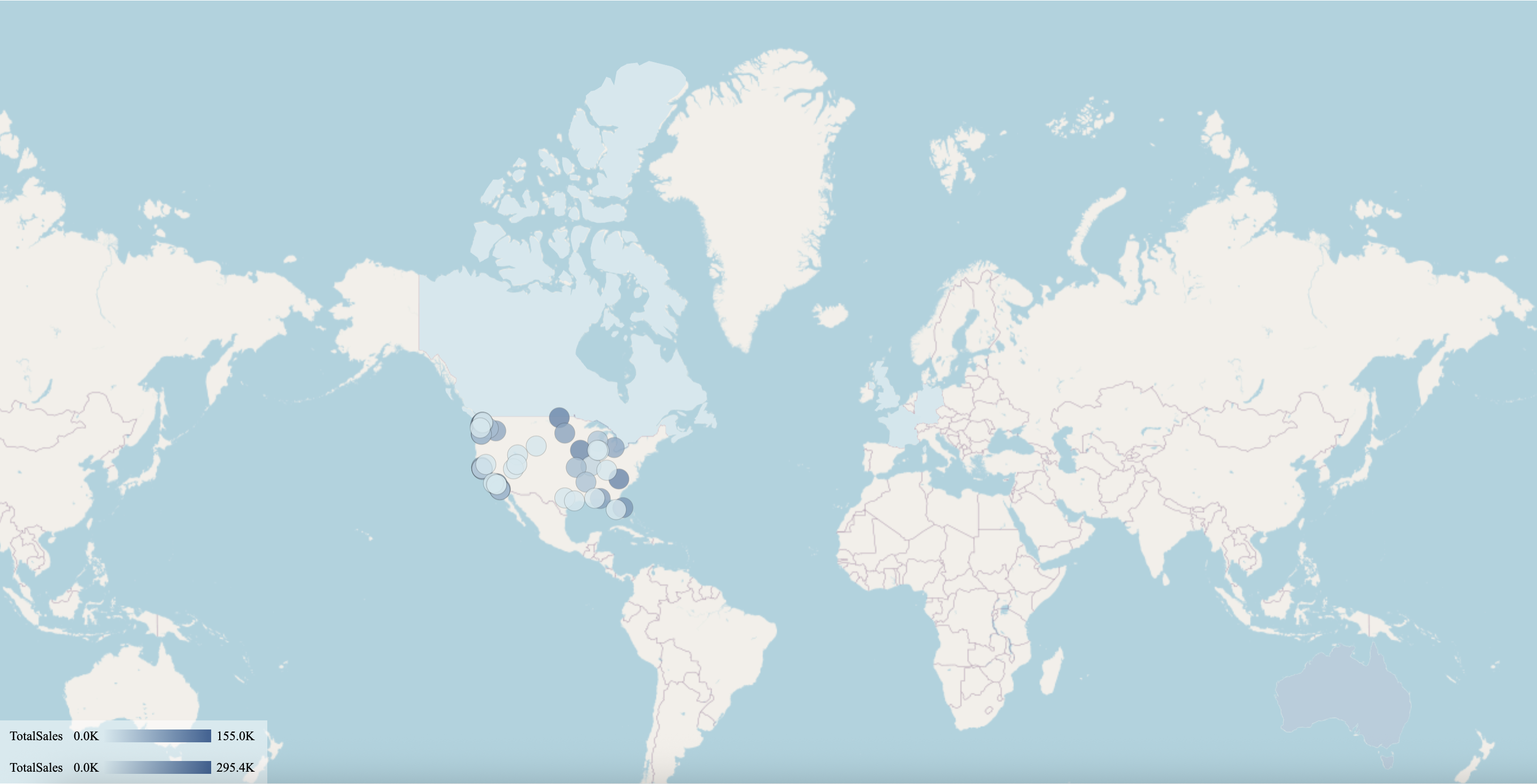
The following map has been created using this native query dataset froom the AdventureWorks Data Warehouse:
-- Combined Map Query: Region (Area Layer) + City (Bubble Layer)
SELECT
    st.SalesTerritoryCountry AS Country,
    st.SalesTerritoryRegion AS Region,
    g.City AS City,
    g.StateProvinceName AS StateProvince,
    g.EnglishCountryRegionName AS CountryName,
    SUM(fis.SalesAmount) AS TotalSales
FROM dbo.FactInternetSales fis
INNER JOIN dbo.DimSalesTerritory st
    ON fis.SalesTerritoryKey = st.SalesTerritoryKey
INNER JOIN dbo.DimCustomer c
    ON fis.CustomerKey = c.CustomerKey
INNER JOIN dbo.DimGeography g
    ON c.GeographyKey = g.GeographyKey
GROUP BY
    st.SalesTerritoryCountry,
    st.SalesTerritoryRegion,
    g.City,
    g.StateProvinceName,
    g.EnglishCountryRegionName
ORDER BY
    TotalSales DESC;