-
Interactive DashboardsCreate interactive BI dashboards with dynamic visuals.
-
End-User BI ReportsCreate and deploy enterprise BI reports for use in any vertical.
-
Wyn AlertsSet up always-on threshold notifications and alerts.
-
Localization SupportChange titles, labels, text explanations, and more.
-
Wyn ArchitectureA lightweight server offers flexible deployment.
-
 Wyn Enterprise 7.1 is ReleasedThis release emphasizes Wyn document embedding and enhanced analytical express...
 -
 Choosing an Embedded BI Solution for SaaS ProvidersAdding BI features to your applications will improve your products, better serve your customers, and more. But where to start? In this guide, we discuss the many options.
-
Visual GalleryInteractive sample dashboards and reports.
-
BlogExplore Wyn, BI trends, and more.
-
WebinarsDiscover live and on-demand webinars.
-
Customer SuccessVisualize operational efficiency and streamline manufacturing processes.
-
Knowledge BaseGet quick answers with articles and guides.
-
VideosVideo tutorials, trends and best practices.
-
WhitepapersDetailed reports on the latest trends in BI.
-
 Choosing an Embedded BI Solution for SaaS ProvidersAdding BI features to your applications will impr...
 -

- Getting Started
- Administration Guide
-
User Guide
- An Introduction to Wyn Enterprise
- Document Portal for End Users
- Data Governance and Modeling
- View and Manage Documents
- Working with Resources
- Working with Reports
- Working with Dashboards
- Working with Notebooks
- Wyn Analytical Expressions
- Section 508 Compliance
- Subscribe to RSS Feed for Wyn Builds Site
- Developer Guide
Progress Bar
Data Binding – Progress Bar
Value – Bind the data that represents the current progress. This value determines the fill level of the progress bar relative to its maximum.
Customization
Chart Style
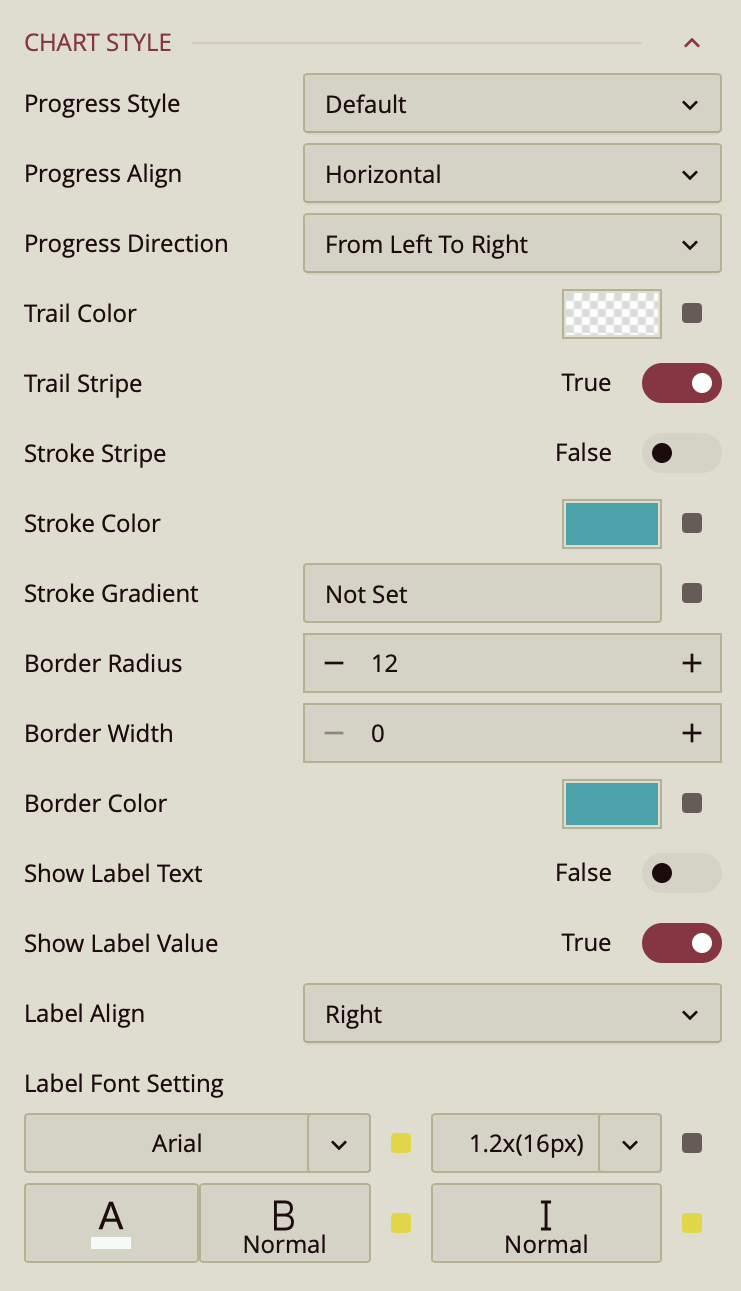
Progress Style
The Progress Style property controls how the progress bar is displayed.
Style – Choose between a uniform bar or a segmented bar. Selecting Segmented reveals additional properties:
Segment Count – Enter a numeric value to specify the number of segments.
Segment Space – Enter a numeric value to define the spacing between segments.
Progress Align – Determines the orientation of the progress bar:
Vertical – Progress is displayed from top to bottom or bottom to top.
Horizontal – Progress is displayed from left to right or right to left.
Trail Style
The Trail Style properties control the appearance of the progress bar trail.
Trail Color – Sets the color of the progress bar trail. Open the color editor to select a color and click OK.
Trail Stripe – Toggle to True to display the trail with a striped pattern.
Stroke Style
The Stroke Style properties control the appearance of the progress bar outline.
Stroke Color – Sets the color of the stroke.
Stroke Stripe – Toggle to True to make the stroke striped.
Stroke Gradient – Click the value slot to open the style editor. Adjust the gradient and select colors using the color editor.
Border Style
The Border Style properties control the edges and border of the progress bar.
Border Radius – Enter a numeric value to set the curvature of the progress bar corners. Default is
15. A value of0produces sharp rectangular corners.Border Width – Enter a numeric value to define the thickness of the border. Default is
0.Border Color – Sets the color of the border using the color editor.
Label Style
The Label Style properties control the display and formatting of progress bar labels.
Show Label Text – Toggle to True to display label text on the progress bar.
Show Label Value – Toggle to False to hide numeric values on the progress bar.
Label Align – Determines label positioning:
Left or Right – Places labels outside the progress bar.
Inner Left, Inner Center, Inner Right – Places labels inside the progress bar.
Label Font Setting – Configures the appearance of the labels, including font family, size, color, weight (normal or bold), and style (normal or italic).